These use cases show how to build a typical member experience home page with the Feeds API. A home page often contains multiple feed sections, such as Trending, Featured, and Latest.
Each example below shows:
- the UI outcome
- the API request used to generate it
- the response structure returned for that use case
Example of a user's home page, showing their Featured feed as their main content landing

These examples focus on displaying content feeds on a user's home page. For other home page aspects, view our use case library for examples such as user shortcuts, notification center, search bar, user profile, etc.
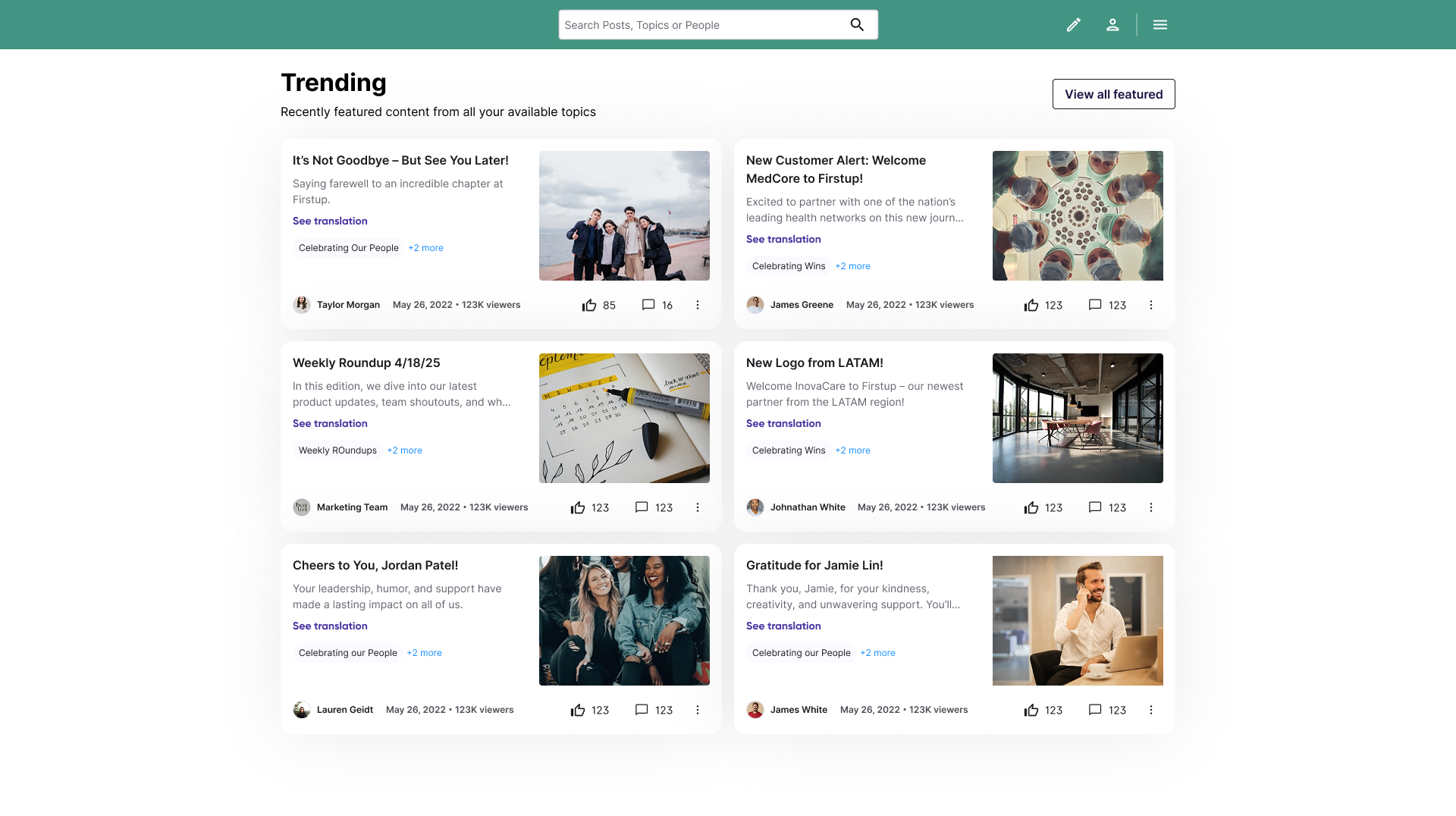
This example shows how to generate a Trending content feed.
Example UI
Endpoint
Request parameters
| Query | Value |
|---|---|
| name string | "trending" |
| visibility string | "public" |
| page.size integer | 10 |
| page.number integer | 1 |
name=trendingreturns the named feed preset for trending content.filter.visibility=publiclimits results to public content.page.size=10andpage.number=1return the first 10 results.
{
  "name": "trending",
  "filter.visibility": "public",
  "page.size": 10,
  "page.number": 1
}
{
  "data": [
    {
      "id": 1001,
      "title": "How managers can improve team communication",
      "content_type": "video",
      "visibility": "public",
      "featured": false
    },
    {
      "id": 1002,
      "title": "Building stronger culture across distributed teams",
      "content_type": "video",
      "visibility": "public",
      "featured": false
    },
    {
      "id": 1003,
      "title": "Training highlights from this quarter",
      "content_type": "video",
      "visibility": "public",
      "featured": false
    }
  ],
  "meta": {
    "filters": {
      "visibility": "public"
    },
    "feed_name": "trending",
    "pagination": {
      "page": 1,
      "size": 10
    }
  }
}
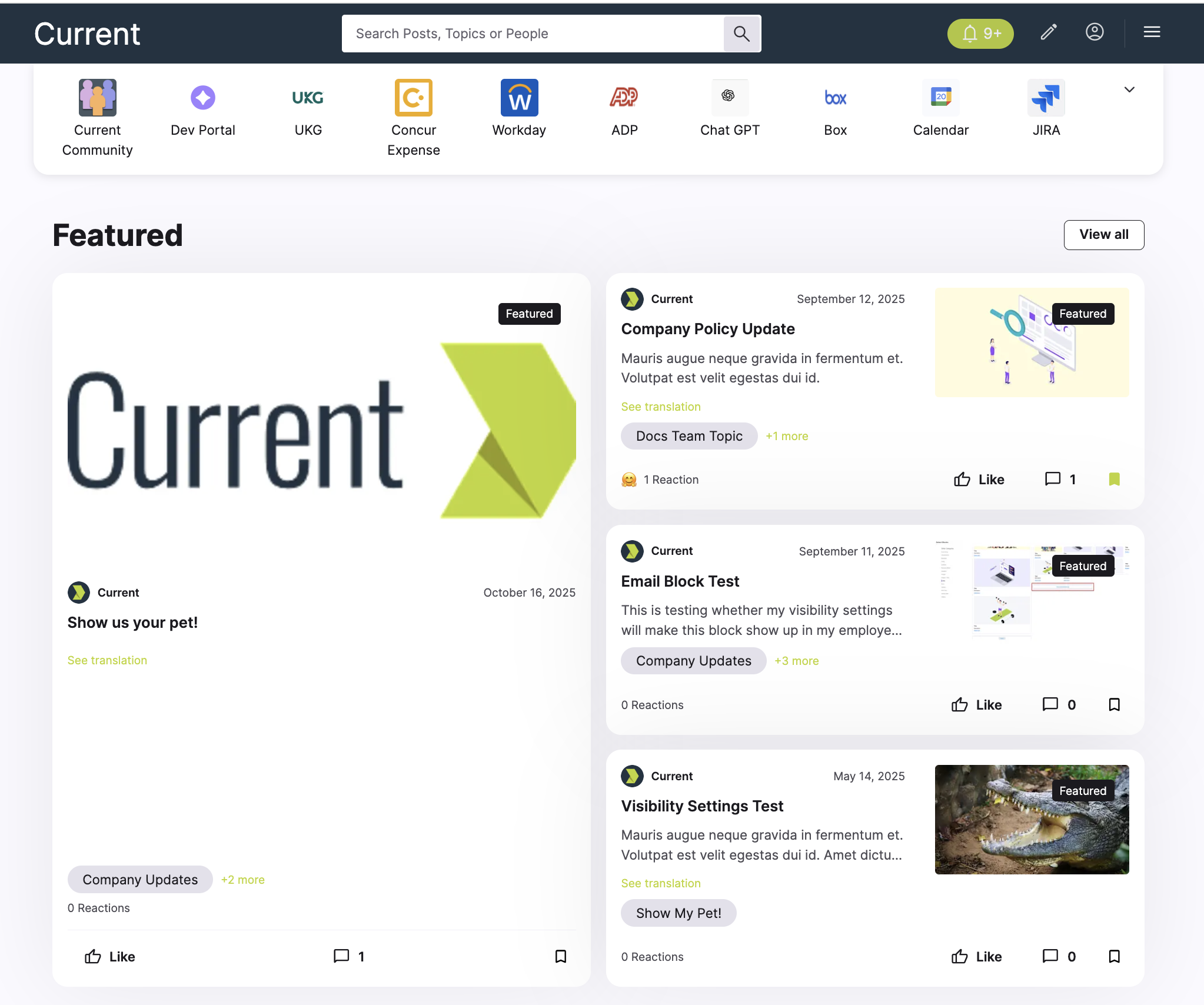
This example shows how to generate a Featured content feed.
If you are building a member experience home page and want to highlight priority content, you can use the named featured feed to display posts that have been marked as featured.
This is useful for surfacing important company campaigns, executive communications, or time-sensitive announcements.
To display featured content, the name query can be left to the default (myfeed). Use the featured query.
Example UI
Endpoint
Request parameters
| Query | Value |
|---|---|
| featured string | "true" |
| visibility string | "public" |
| page.size integer | 10 |
| page.number integer | 1 |
featured=truereturns the named feed preset for featured content.filter.visibility=publiclimits results to public content.page.size=10andpage.number=1return the first 10 results.
{
  "name": "featured",
  "filter.visibility": "public",
  "page.size": 10,
  "page.number": 1
}
{
  "data": [
    {
      "id": 2001,
      "title": "CEO town hall recap",
      "content_type": "article",
      "visibility": "public",
      "featured": true
    },
    {
      "id": 2002,
      "title": "Open enrollment reminder",
      "content_type": "image",
      "visibility": "public",
      "featured": true
    },
    {
      "id": 2003,
      "title": "Q2 business update",
      "content_type": "video",
      "visibility": "public",
      "featured": true
    }
  ],
  "meta": {
    "filters": {
      "visibility": "public"
    },
    "feed_name": "featured",
    "pagination": {
      "page": 1,
      "size": 10
    }
  }
}
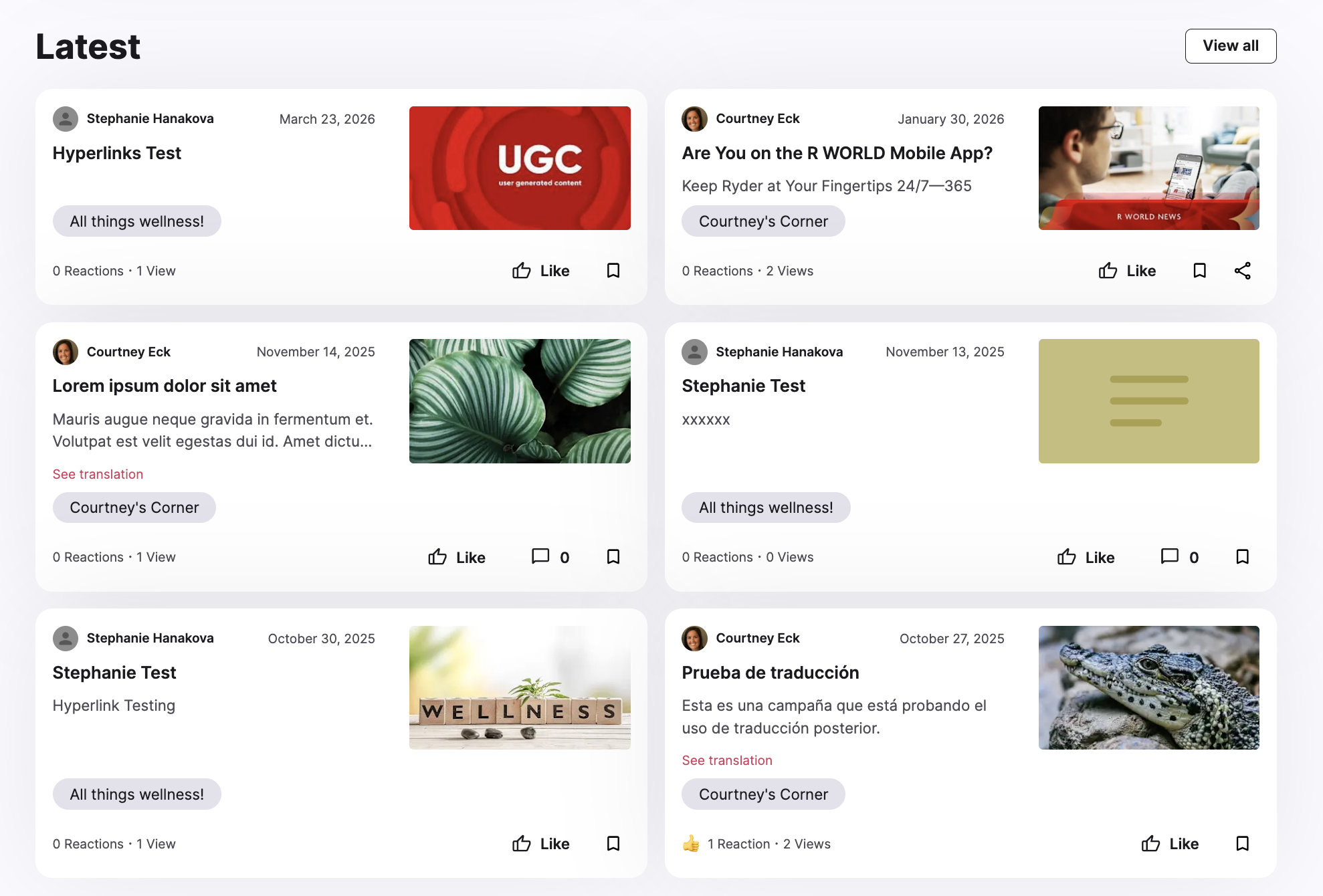
This example shows how to generate a Latest content feed.
Use this feed when you want to display the most recently published content available to the authenticated user. This is helpful for creating a section that keeps users up to date with the newest company news and updates.
The Latest feed uses a different Feeds endpoint.
Example UI
Endpoint
Request parameters
| Query | Value |
|---|---|
| name string | "latest" |
| visibility string | "public" |
| page.size integer | 10 |
| page.number integer | 1 |
name=latestreturns the named feed preset for the most recently published content.filter.visibility=publiclimits results to public content.page.size=10andpage.number=1return the first 10 results.
{
  "name": "latest",
  "filter.visibility": "public",
  "page.size": 10,
  "page.number": 1
}
{
  "data": [
    {
      "id": 3001,
      "title": "New benefits guide for employees",
      "content_type": "article",
      "visibility": "public",
      "featured": false
    },
    {
      "id": 3002,
      "title": "This week in company news",
      "content_type": "note",
      "visibility": "public",
      "featured": false
    },
    {
      "id": 3003,
      "title": "Leadership update video",
      "content_type": "video",
      "visibility": "public",
      "featured": false
    }
  ],
  "meta": {
    "filters": {
      "visibility": "public"
    },
    "feed_name": "latest",
    "pagination": {
      "page": 1,
      "size": 10
    }
  }
}
Request schema
Use a specific named feed, which is a preset of filters for specific types of feeds.
Find content matching provided keywords. When specified, parameters other than pagination and the topics filter will be ignored.
Return content posts that users have interacted with in the provided ways.
Build the feed from the given topics. Returns posts that are published to any of the topics.
Build the feed from the given initiative tags. Returns posts that are published with any of the initiative tags.
Return only content matching the provided content types.
Limit records to the value provided.
Limit records to the value provided.
Number of records to return per page. Default is 10 and maximum is 100.
Using classical pagination, the page number to return. Default is 1.