This use case outlines how to surface the Firstup User Shortcuts feature onto a home page.
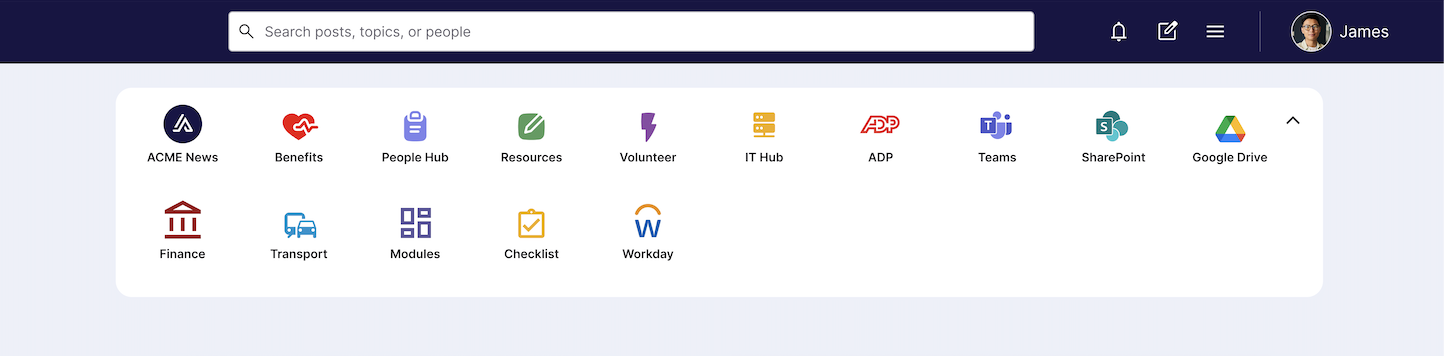
The User Shortcuts feature is a tray/widget that appears on a user's home page, with direct links out to urls (Example, integrations to HRIS platforms, online training platforms, useful links, resources, etc.).
User Shortcuts are configured in Studio at an audience level. This enables you to target specific links to specific users via their audience. For example, target management resources to only your managers.
Endpoint
Request Parameters
There are no query or request parameters with this endpoint. This endpoint is user scoped at authorization, and will only return shortcuts linked to the acting user's profile.
[
  {
    "id": 628,
    "name": "Employee Notices",
    "image_url": "https://cdn.example.com/shortcuts/employee-notices-icon.png",
    "banner_image_url": "https://cdn.example.com/shortcuts/employee-notices-banner.png",
    "links": [
      { … }
    ]
  },
  {
    "id": 629,
    "name": "HR & Benefits",
    "image_url": "https://cdn.example.com/shortcuts/hr-benefits-icon.png",
    "banner_image_url": "https://cdn.example.com/shortcuts/hr-benefits-banner.png",
    "links": [
      { … },
      { … }
    ]
  },
  {
    "id": 630,
    "name": "Learning Hub",
    "image_url": "https://cdn.example.com/shortcuts/learning-hub-icon.png",
    "banner_image_url": "https://cdn.example.com/shortcuts/learning-hub-banner.png",
    "links": [
      { … }
    ]
  }
]
ID of the integration/shortcut
The url for the shortcut's image
The url for the shortcut's banner_image url
List of links