The hamburger menu, (or the More menu) in the Firstup employee experience is a secondary navigation menu that gives users quick access to additional areas of the platform beyond the main home feed. It acts as an entry point to common destinations such as feed views, saved content, topic discovery, and profile-related screens.
This guide explains how to recreate the menu options that are unique to the hamburger menu, and where relevant, links to other use cases for screens that are already covered elsewhere in the documentation.
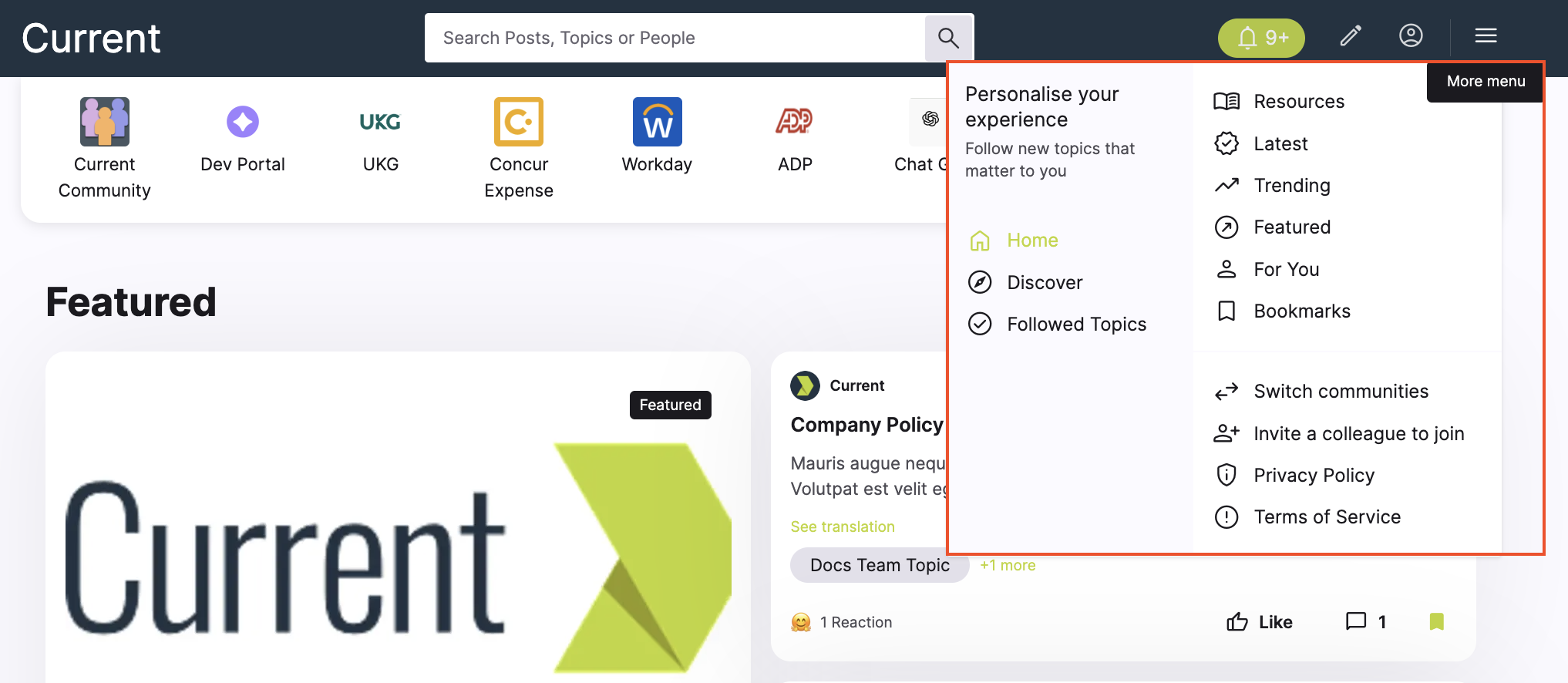
A lot of these use cases are also available from the User Profile feed.
| UI Button / Link | Description | API Endpoint | Filters |
|---|---|---|---|
| Resources | Takes you to a list of campaigns. | GET /v2/feed/posts | resources |
| Latest | Takes you to a list of campaigns. | GET /v2/feed/posts | myfeed |
| Trending | Takes you to a list of campaigns. | GET /v2/feed/posts | trending |
| Featured | Takes you to a list of campaigns with featured tag. | GET /v2/feed/posts | featured |
| Followed Topics | Takes you to a collection of topics. | GET /v2/feed/channels/posts | Followed |
These use cases run through how to setup these options.
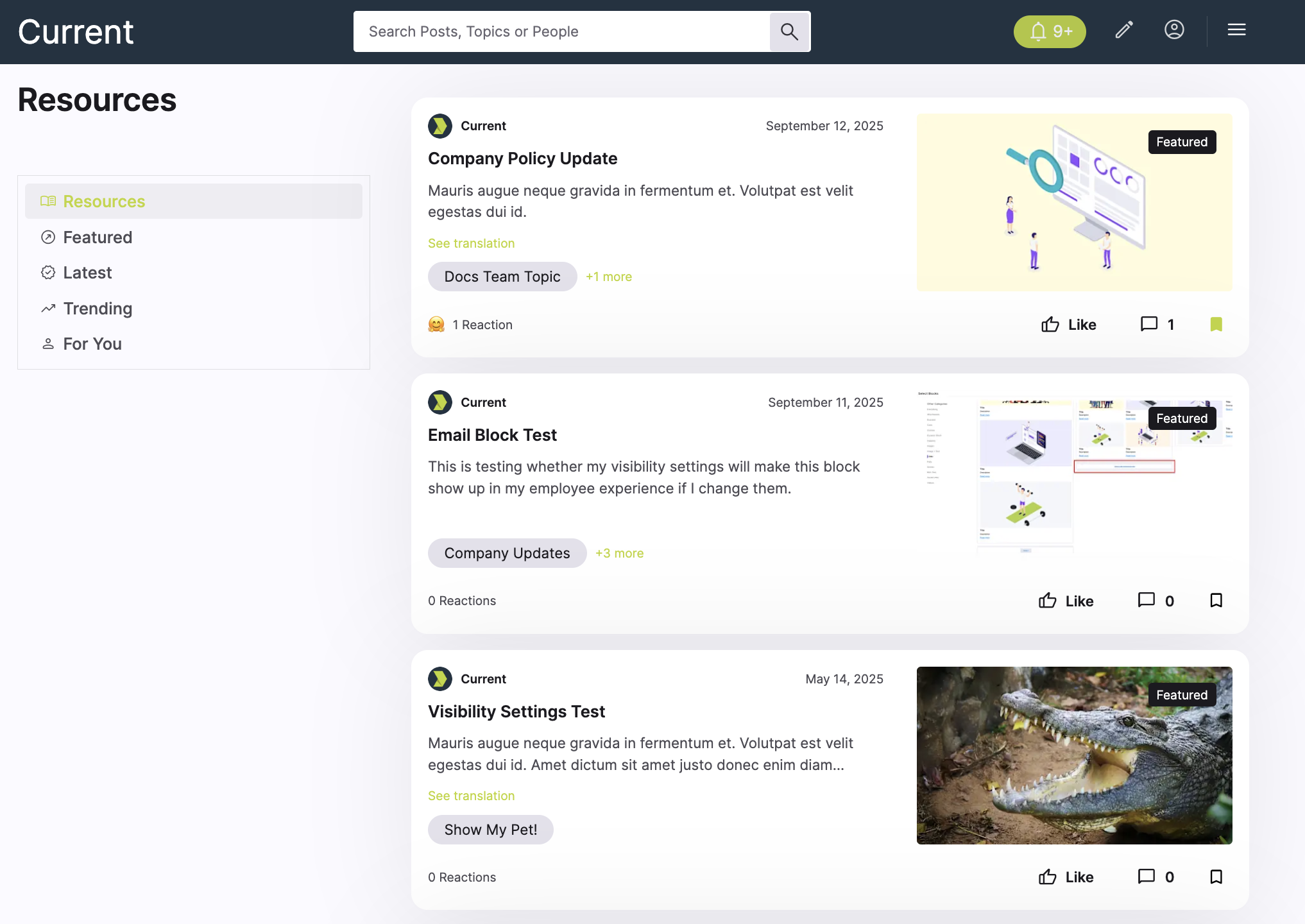
This example shows how to generate a Resources feed for a hamburger menu.
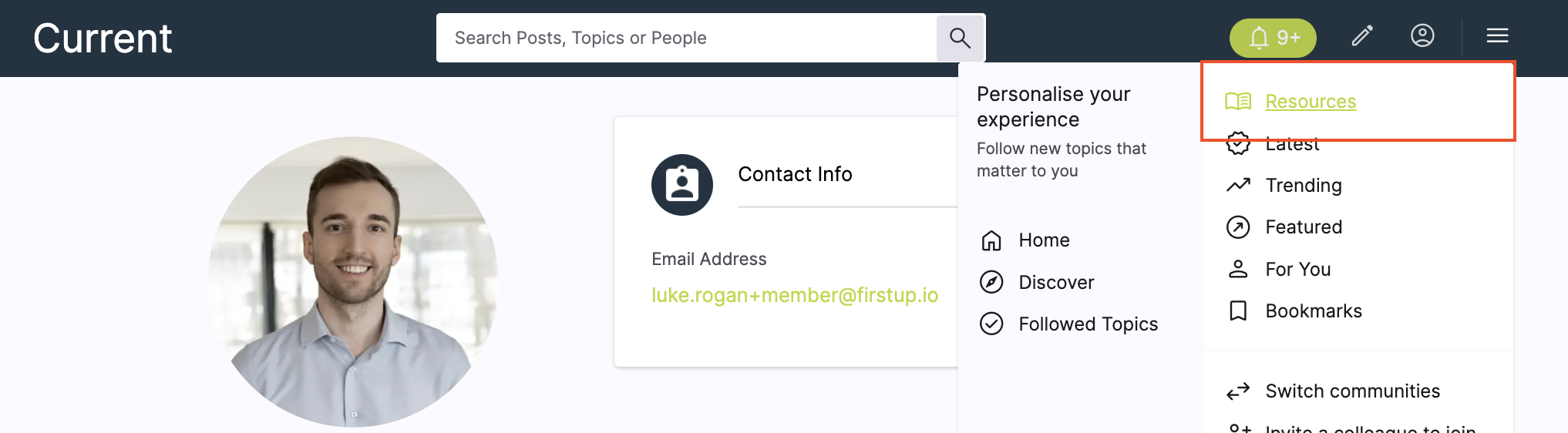
Use this feed when you want to surface resource-style content that the authenticated user can access from a dedicated menu option. Like other feeds, this endpoint is user-scoped, so it only returns posts the acting user is allowed to view.
Example UI
Endpoint
Request Parameters
| Query | Value |
|---|---|
| name string | "resources" |
| filter.visibility string | "public" |
| page.size integer | 10 |
| page.number integer | 1 |
name=resourcesreturns the named feed preset for resources content.filter.visibility=publiclimits results to public content.page.size=10andpage.number=1return the first 10 results.
Request used in this example
{
  "name": "resources",
  "filter.visibility": "public",
  "page.size": 10,
  "page.number": 1
}
Response shown in this example
{
  "data": [
    {
      "id": 4001,
      "title": "Employee Benefits Guide",
      "content_type": "article",
      "summary": "Access key information about health, pension, and wellbeing benefits.",
      "visibility": "public",
      "featured": false,
      "permalink_url": "https://onfirstup.com/acme/acmetimes/sc4#contents/4001",
      "shareable_url": "https://onfirstup.com/acme/acmetimes/sc4#contents/4001",
      "published_at": "2026-03-01T09:00:00Z"
    },
    {
      "id": 4002,
      "title": "Learning and Development Hub",
      "content_type": "link",
      "summary": "Browse training resources and professional development tools.",
      "visibility": "public",
      "featured": false,
      "permalink_url": "https://onfirstup.com/acme/acmetimes/sc4#contents/4002",
      "shareable_url": "https://onfirstup.com/acme/acmetimes/sc4#contents/4002",
      "published_at": "2026-03-02T09:00:00Z"
    },
    {
      "id": 4003,
      "title": "IT Help and Support",
      "content_type": "note",
      "summary": "Find links to service desk support, device help, and access requests.",
      "visibility": "public",
      "featured": false,
      "permalink_url": "https://onfirstup.com/acme/acmetimes/sc4#contents/4003",
      "shareable_url": "https://onfirstup.com/acme/acmetimes/sc4#contents/4003",
      "published_at": "2026-03-03T09:00:00Z"
    }
  ],
  "meta": {
    "filters": {
      "visibility": "public"
    },
    "feed_name": "resources",
    "pagination": {
      "page": 1,
      "size": 10
    }
  }
}
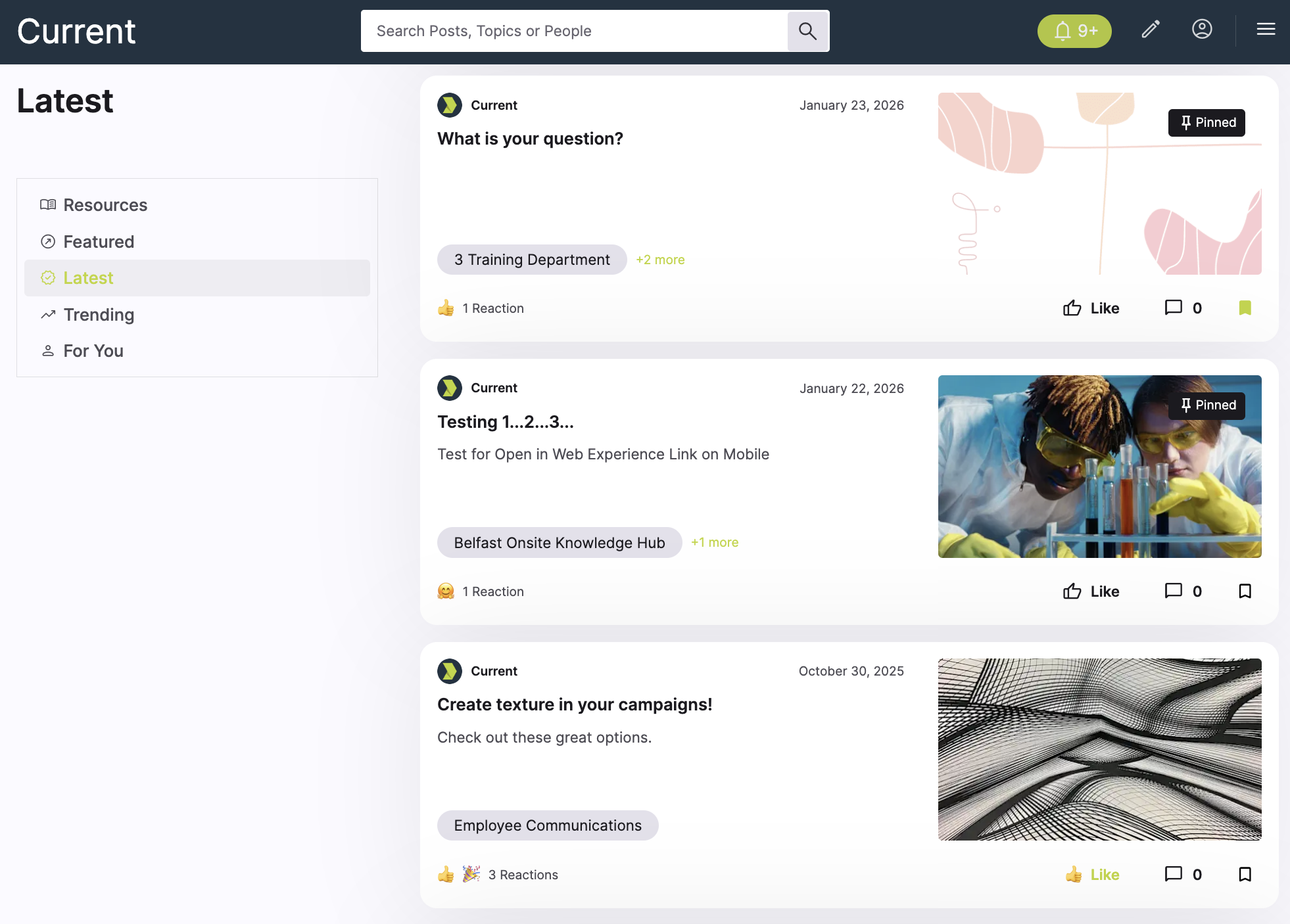
This example shows how to generate a Latest feed for a hamburger menu.
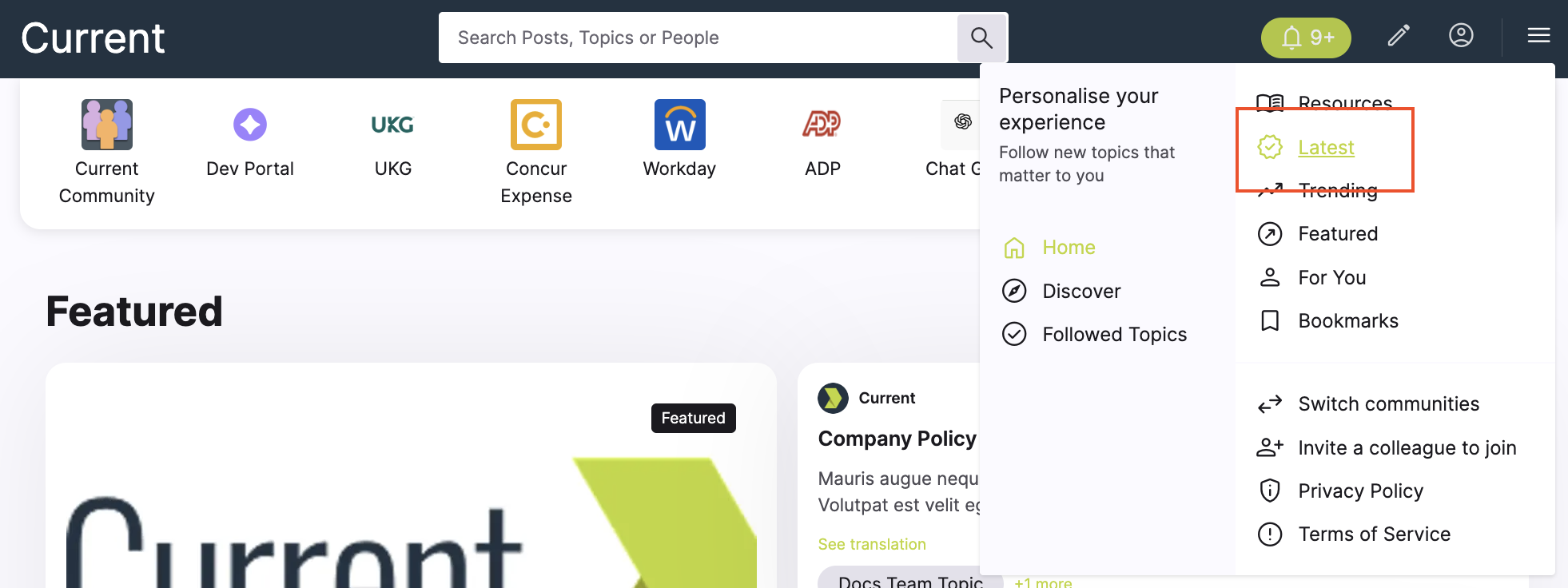
This feed returns the latest posts by channel, allowing users to discover new content.
Example UI
Endpoint
Request Parameters
| Query | Value |
|---|---|
| name string | "latest" |
| page.size integer | 10 |
| page.number integer | 1 |
Response shown in this example
{
  "data": [
    {
      "id": 8001,
      "title": "What's your question?",
      "content_type": "article",
      "summary": "An overview of the latest updates and how to get started.",
      "visibility": "public",
      "featured": false,
      "permalink_url": "https://onfirstup.com/acme/acmetimes/sc4#contents/8001",
      "shareable_url": "https://onfirstup.com/acme/acmetimes/sc4#contents/8001",
      "published_at": "2026-03-24T09:00:00Z"
    },
    {
      "id": 8002,
      "title": "Testing 1..2..3..",
      "content_type": "video",
      "summary": "A short leadership briefing covering this week’s priorities.",
      "visibility": "public",
      "featured": false,
      "permalink_url": "https://onfirstup.com/acme/acmetimes/sc4#contents/8002",
      "shareable_url": "https://onfirstup.com/acme/acmetimes/sc4#contents/8002",
      "published_at": "2026-03-23T09:00:00Z"
    },
    {
      "id": 8003,
      "title": "Create texture in your campaigns!",
      "content_type": "note",
      "summary": "Important dates and links for this year’s enrollment period.",
      "visibility": "public",
      "featured": false,
      "permalink_url": "https://onfirstup.com/acme/acmetimes/sc4#contents/8003",
      "shareable_url": "https://onfirstup.com/acme/acmetimes/sc4#contents/8003",
      "published_at": "2026-03-22T09:00:00Z"
    }
  ],
  "meta": {
    "feed_name": "latest",
    "pagination": {
      "page": 1,
      "size": 10
    }
  }
}
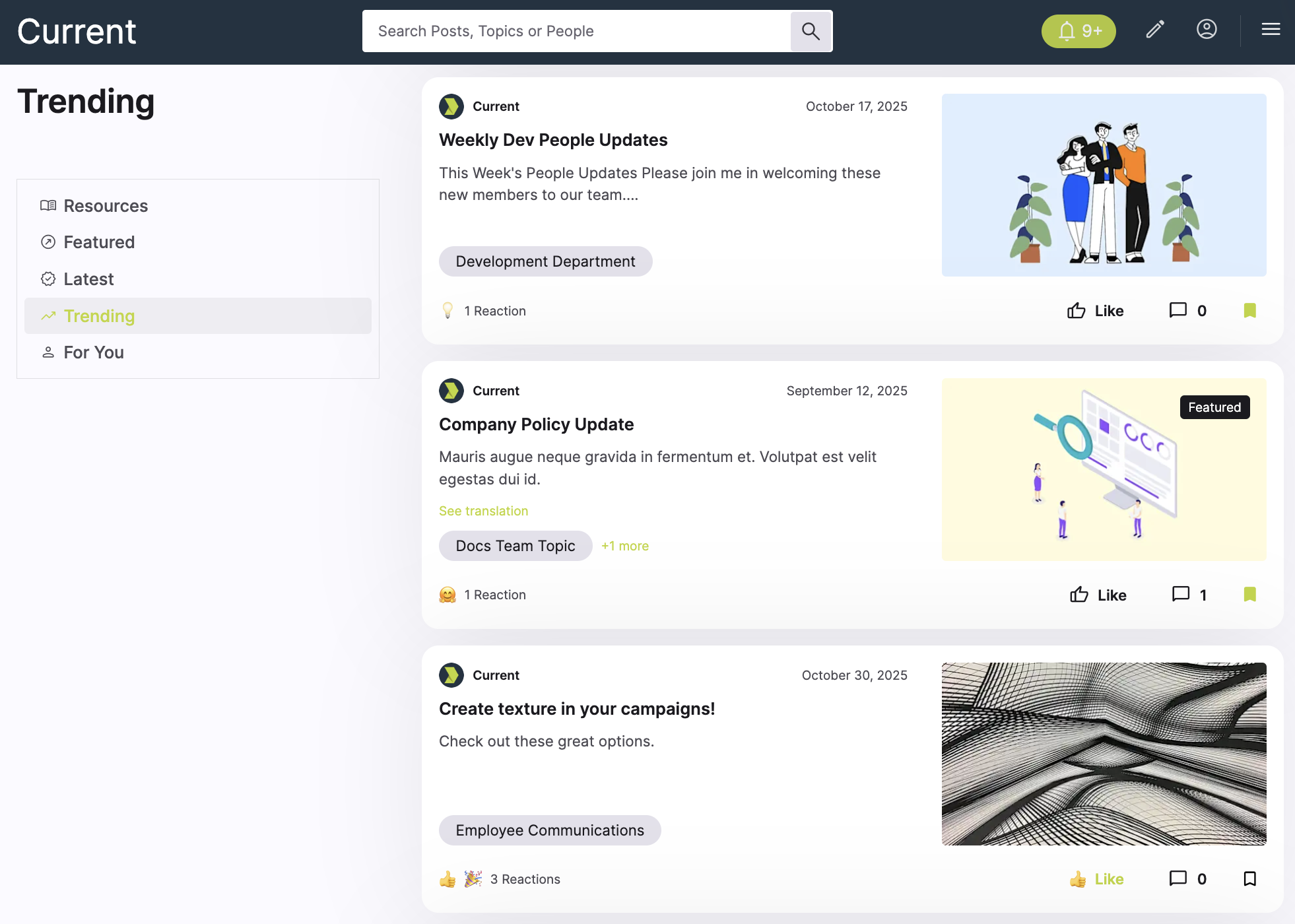
This example shows how to generate a Trending feed for a hamburger menu.
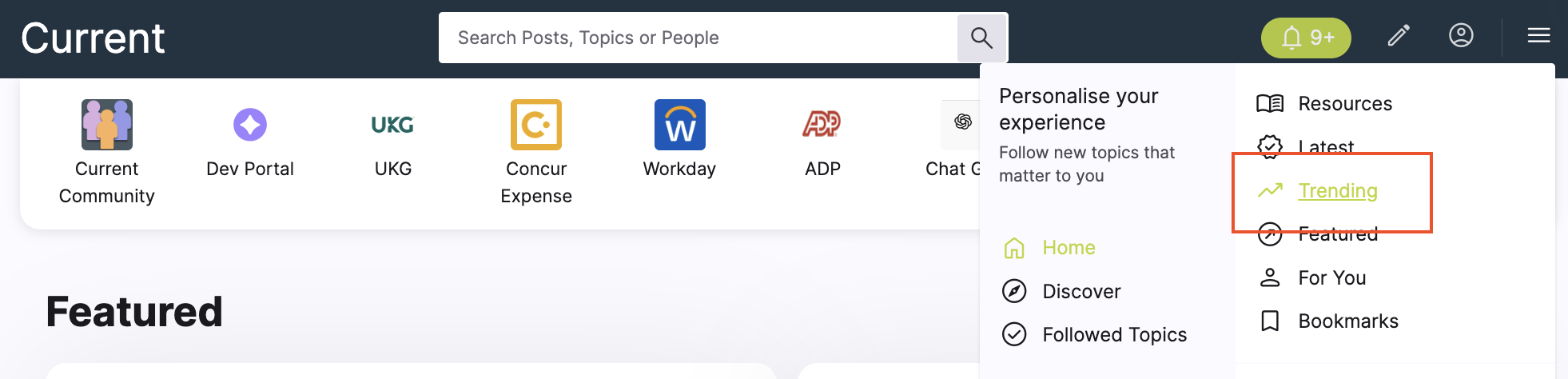
This feed returns the latest posts by channel, allowing users to discover new content.
Example UI
Endpoint
Request Parameters
| Query | Value |
|---|---|
| name string | "trending" |
| page.size integer | 10 |
| page.number integer | 1 |
Response shown in this example
{
  "data": [
    {
      "id": 7101,
      "title": "CEO weekly update",
      "content_type": "video",
      "summary": "Highlights from this week across the company.",
      "visibility": "public",
      "featured": false,
      "permalink_url": "https://onfirstup.com/acme/acmetimes/sc4#contents/7101",
      "shareable_url": "https://onfirstup.com/acme/acmetimes/sc4#contents/7101",
      "published_at": "2026-03-24T09:00:00Z"
    },
    {
      "id": 7102,
      "title": "Top resources for managers",
      "content_type": "article",
      "summary": "A curated roundup of frequently used manager resources.",
      "visibility": "public",
      "featured": false,
      "permalink_url": "https://onfirstup.com/acme/acmetimes/sc4#contents/7102",
      "shareable_url": "https://onfirstup.com/acme/acmetimes/sc4#contents/7102",
      "published_at": "2026-03-23T09:00:00Z"
    },
    {
      "id": 7103,
      "title": "What’s new this week",
      "content_type": "note",
      "summary": "Popular updates your coworkers are engaging with right now.",
      "visibility": "public",
      "featured": false,
      "permalink_url": "https://onfirstup.com/acme/acmetimes/sc4#contents/7103",
      "shareable_url": "https://onfirstup.com/acme/acmetimes/sc4#contents/7103",
      "published_at": "2026-03-22T09:00:00Z"
    }
  ],
  "meta": {
    "feed_name": "trending",
    "pagination": {
      "page": 1,
      "page_size": 10
    }
  }
}
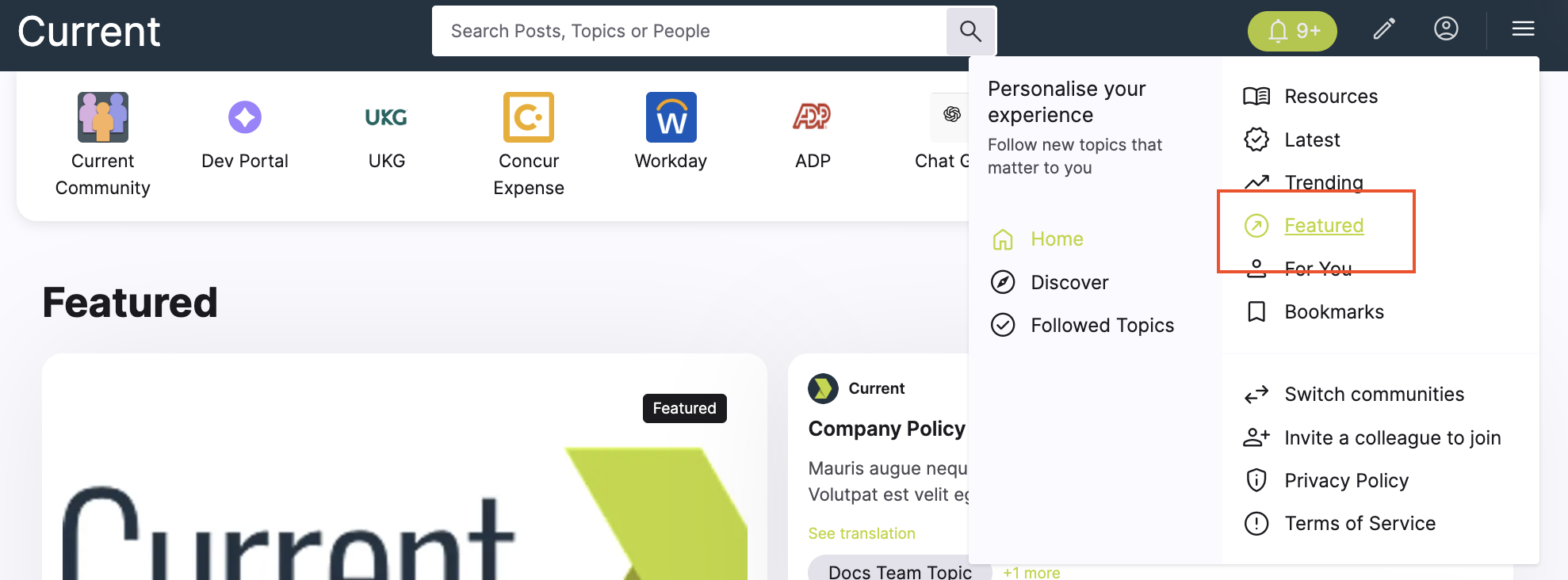
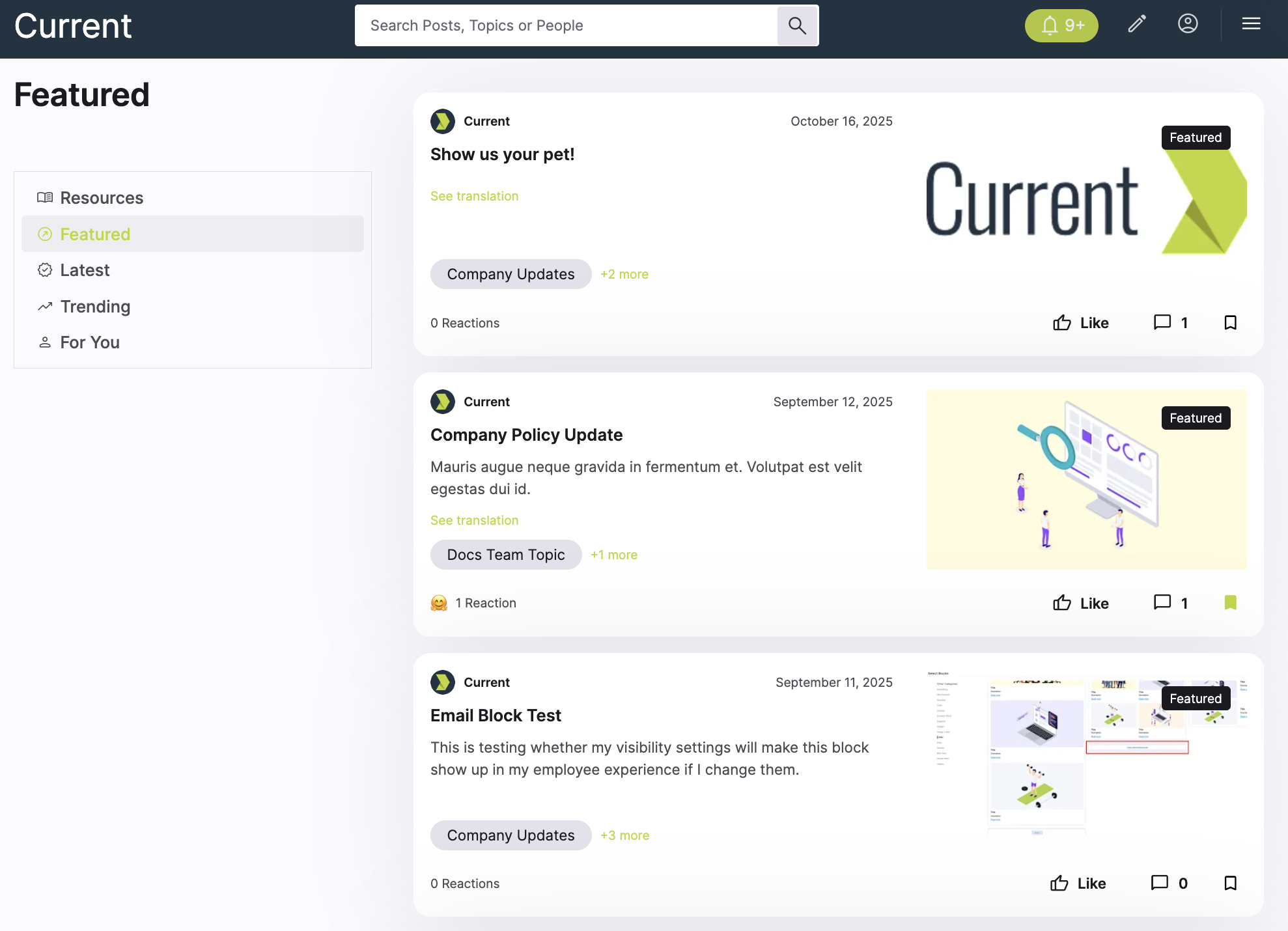
This example shows how to generate a Featured feed for a hamburger menu.
Example UI
Endpoint
Request parameters
| Query | Value |
|---|---|
| name string | "featured" |
| page.size integer | 10 |
| page.number integer | 1 |
Response shown in this example
{
  "data": [
    {
      "id": 7101,
      "title": "CEO weekly update",
      "content_type": "video",
      "summary": "Highlights from this week across the company.",
      "visibility": "public",
      "featured": true,
      "permalink_url": "https://onfirstup.com/acme/acmetimes/sc4#contents/7101",
      "shareable_url": "https://onfirstup.com/acme/acmetimes/sc4#contents/7101",
      "published_at": "2026-03-24T09:00:00Z"
    },
    {
      "id": 7102,
      "title": "Top resources for managers",
      "content_type": "article",
      "summary": "A curated roundup of frequently used manager resources.",
      "visibility": "public",
      "featured": true,
      "permalink_url": "https://onfirstup.com/acme/acmetimes/sc4#contents/7102",
      "shareable_url": "https://onfirstup.com/acme/acmetimes/sc4#contents/7102",
      "published_at": "2026-03-23T09:00:00Z"
    },
    {
      "id": 7103,
      "title": "What’s new this week",
      "content_type": "note",
      "summary": "Popular updates your coworkers are engaging with right now.",
      "visibility": "public",
      "featured": true,
      "permalink_url": "https://onfirstup.com/acme/acmetimes/sc4#contents/7103",
      "shareable_url": "https://onfirstup.com/acme/acmetimes/sc4#contents/7103",
      "published_at": "2026-03-22T09:00:00Z"
    }
  ],
  "meta": {
    "feed_name": "featured",
    "pagination": {
      "page": 1,
      "page_size": 10
    }
  }
}
This example shows how to generate a followed topics feed for a hamburger menu.
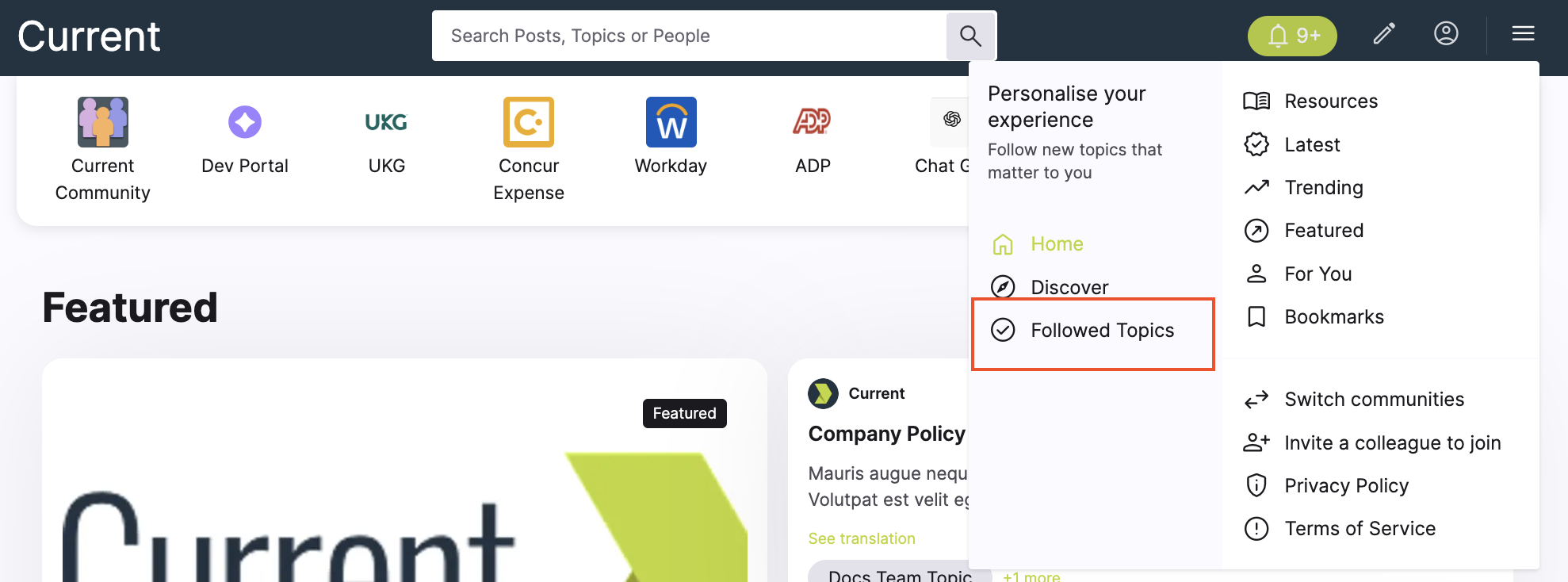
Example UI
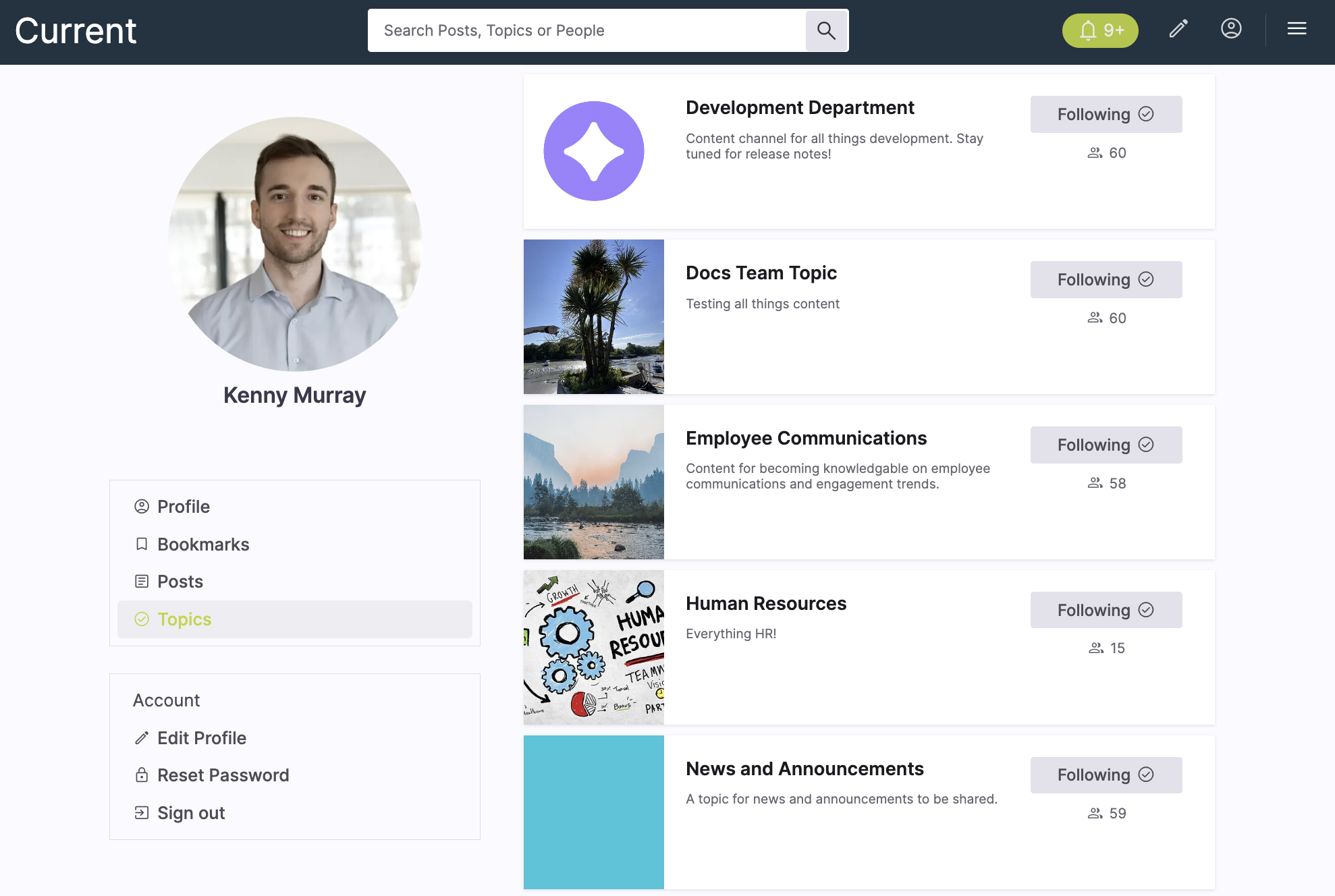
Endpoint
Request parameters
| Query | Value |
|---|---|
| name string | "following" |
| page.size integer | 10 |
| page.number integer | 1 |
Response shown in this example
{
  "data": [
    {
      "id": 9001,
      "title": "Quarterly sales kickoff highlights",
      "content_type": "article",
      "summary": "A roundup of the most important updates from the sales organization.",
      "visibility": "public",
      "featured": false,
      "permalink_url": "https://onfirstup.com/acme/acmetimes/sc4#contents/9001",
      "shareable_url": "https://onfirstup.com/acme/acmetimes/sc4#contents/9001",
      "published_at": "2026-03-20T09:00:00Z"
    },
    {
      "id": 9002,
      "title": "Learning pathways for new managers",
      "content_type": "link",
      "summary": "Recommended learning content from topics the user already follows.",
      "visibility": "public",
      "featured": false,
      "permalink_url": "https://onfirstup.com/acme/acmetimes/sc4#contents/9002",
      "shareable_url": "https://onfirstup.com/acme/acmetimes/sc4#contents/9002",
      "published_at": "2026-03-19T09:00:00Z"
    },
    {
      "id": 9003,
      "title": "This week in People and Culture",
      "content_type": "note",
      "summary": "Recent updates from one of the user’s followed topics.",
      "visibility": "public",
      "featured": false,
      "permalink_url": "https://onfirstup.com/acme/acmetimes/sc4#contents/9003",
      "shareable_url": "https://onfirstup.com/acme/acmetimes/sc4#contents/9003",
      "published_at": "2026-03-18T09:00:00Z"
    }
  ],
  "meta": {
    "feed_name": "following",
    "pagination": {
      "page": 1,
      "size": 10
    }
  }
}
Use a specific named feed, which is a preset of filters for specific types of feeds.
Find content matching provided keywords. When specified, parameters other than pagination and the topics filter will be ignored.
Return content posts that users have interacted with in the provided ways.
Build the feed from the given topics. Returns posts that are published to any of the topics.
Build the feed from the given initiative tags. Returns posts that are published with any of the initiative tags.
Return only content matching the provided content types.
Limit records to the value provided.
Limit records to the value provided.
Number of records to return per page. Default is 10 and maximum is 100.
Using classical pagination, the page number to return. Default is 1.
Use a specific named feed, which is a preset of filters for specific types of feeds.
Find content matching provided keywords. Required when using search.
Number of records to return per page. Default is 10 and maximum is 100.
Using classical pagination, the page number to return. Default is 1.