These use cases show how to create sections of a user profile.
These examples are focussed on the user's content section from their profile:
- Bookmarked - A collection of posts bookmarked by the authenticated user
- Posts - A collection of submitted posts by the authenticated user
- Topics - A collection of topics followed by the user.
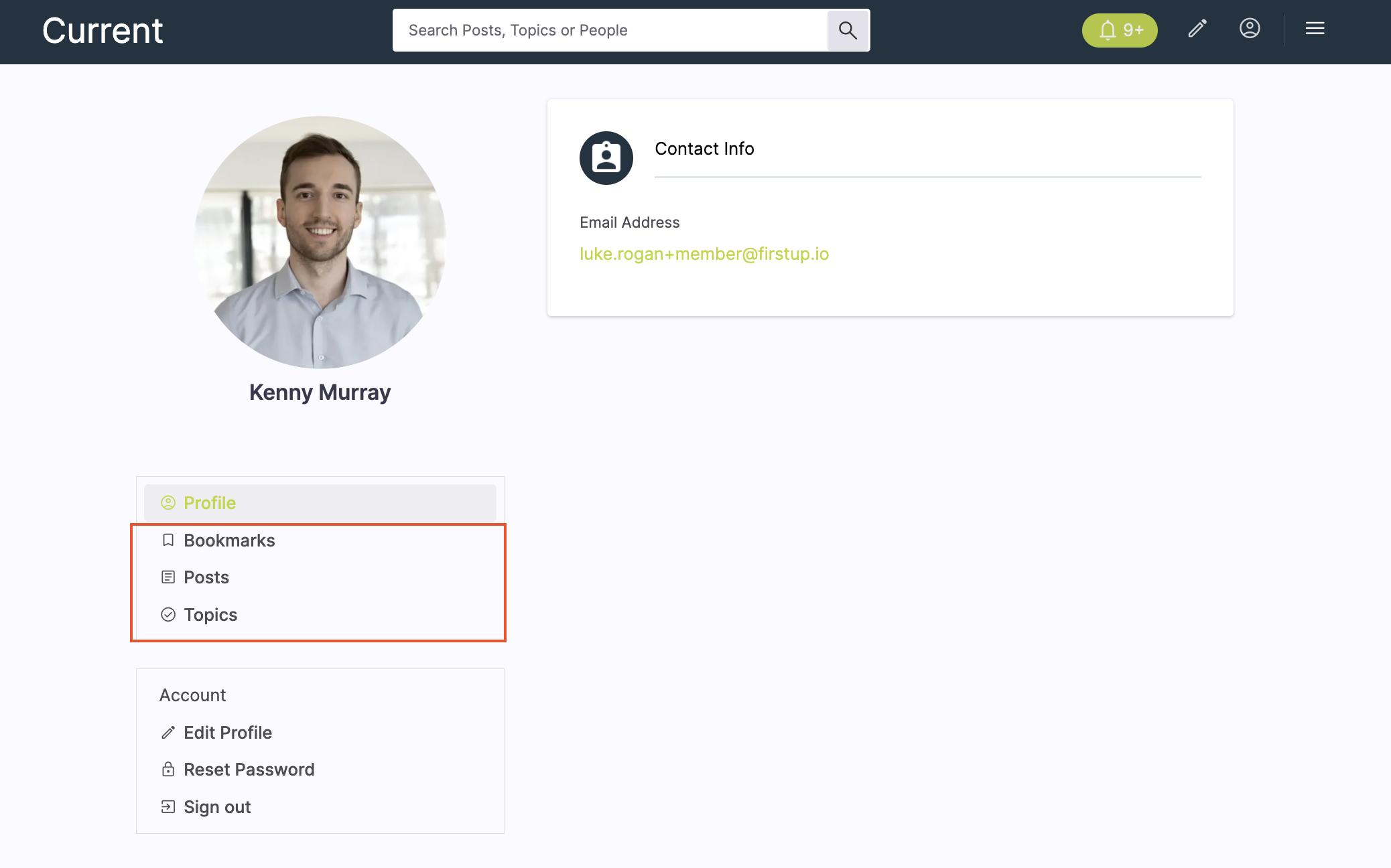
These examples focus on displaying content relevant to a user from the user profile. For other user profile aspects, view our use case library for examples such as image upload, user attributes, etc.
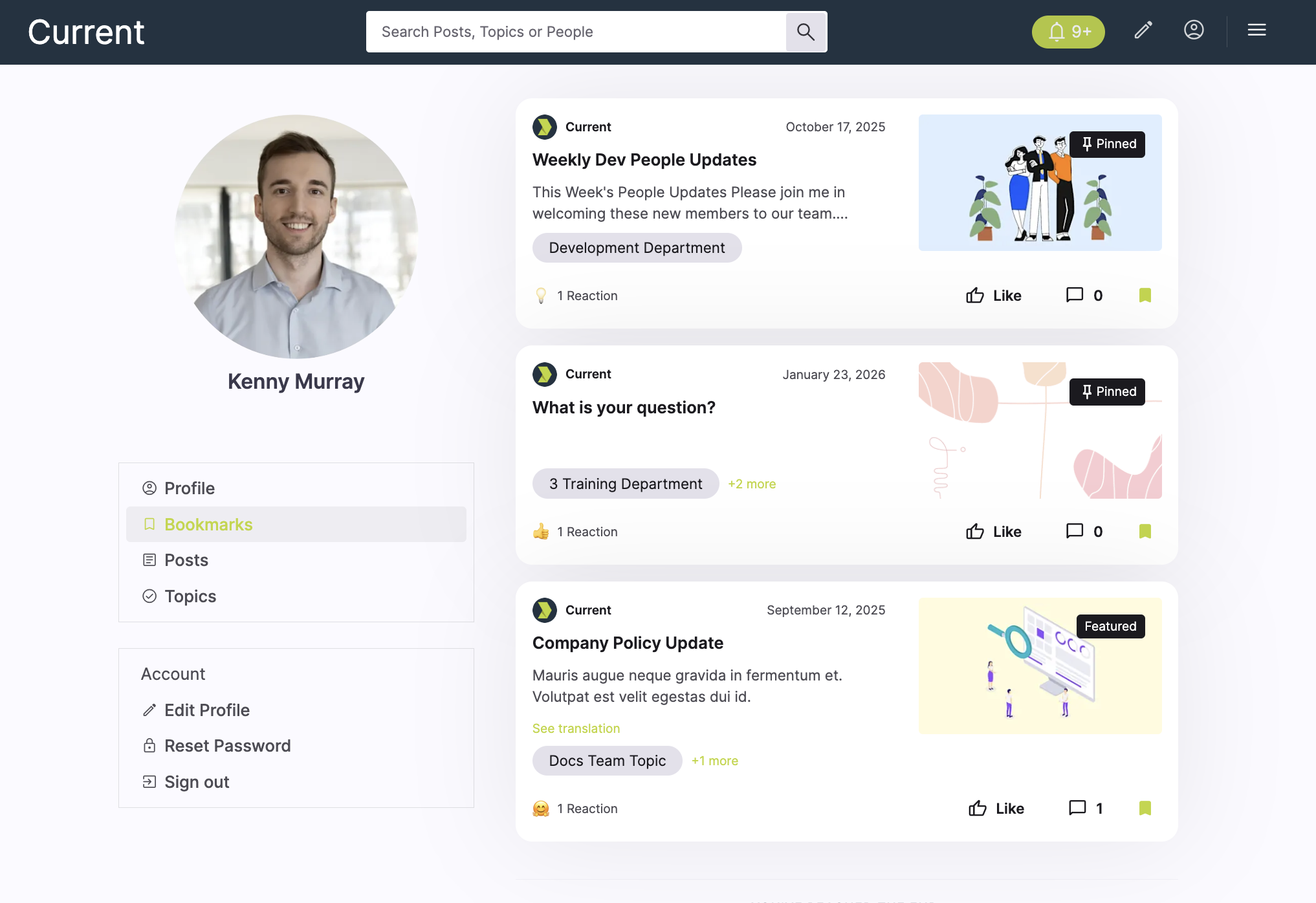
This example shows how to generate a bookmarked content feed. This is where a user has bookmarked a piece of content from their employee experience.
Example UI
Endpoint
Request parameters
| Query | Value |
|---|---|
| name string | bookmarked |
| page.size integer | 10 |
| page.number integer | 1 |
name=bookmarkedreturns posts the authenticated user has bookmarked.page.size=10andpage.number=1return the first 10 results.
{
  "name": "bookmarked",
  "page.size": 10,
  "page.number": 1
}
{
  "data": [
    {
      "id": 6001,
      "title": "How to get more from your employee experience",
      "content_type": "article",
      "summary": "A saved post with practical tips for using your employee experience more effectively.",
      "visibility": "public",
      "featured": false,
      "permalink_url": "https://onfirstup.com/acme/acmetimes/sc4#contents/6001",
      "shareable_url": "https://onfirstup.com/acme/acmetimes/sc4#contents/6001",
      "published_at": "2026-03-08T09:00:00Z"
    },
    {
      "id": 6002,
      "title": "Leadership update video",
      "content_type": "video",
      "summary": "A saved leadership message the user previously bookmarked.",
      "visibility": "public",
      "featured": false,
      "permalink_url": "https://onfirstup.com/acme/acmetimes/sc4#contents/6002",
      "shareable_url": "https://onfirstup.com/acme/acmetimes/sc4#contents/6002",
      "published_at": "2026-03-09T09:00:00Z"
    },
    {
      "id": 6003,
      "title": "Benefits and wellbeing resources",
      "content_type": "link",
      "summary": "A saved content item linking out to key employee resources.",
      "visibility": "public",
      "featured": false,
      "permalink_url": "https://onfirstup.com/acme/acmetimes/sc4#contents/6003",
      "shareable_url": "https://onfirstup.com/acme/acmetimes/sc4#contents/6003",
      "published_at": "2026-03-10T09:00:00Z"
    }
  ],
  "meta": {
    "feed_name": "bookmarked",
    "pagination": {
      "page": 1,
      "size": 10
    }
  }
}
Pass the post content ID into GET /v2/feed/posts/{content_id} to bring up the whole post.
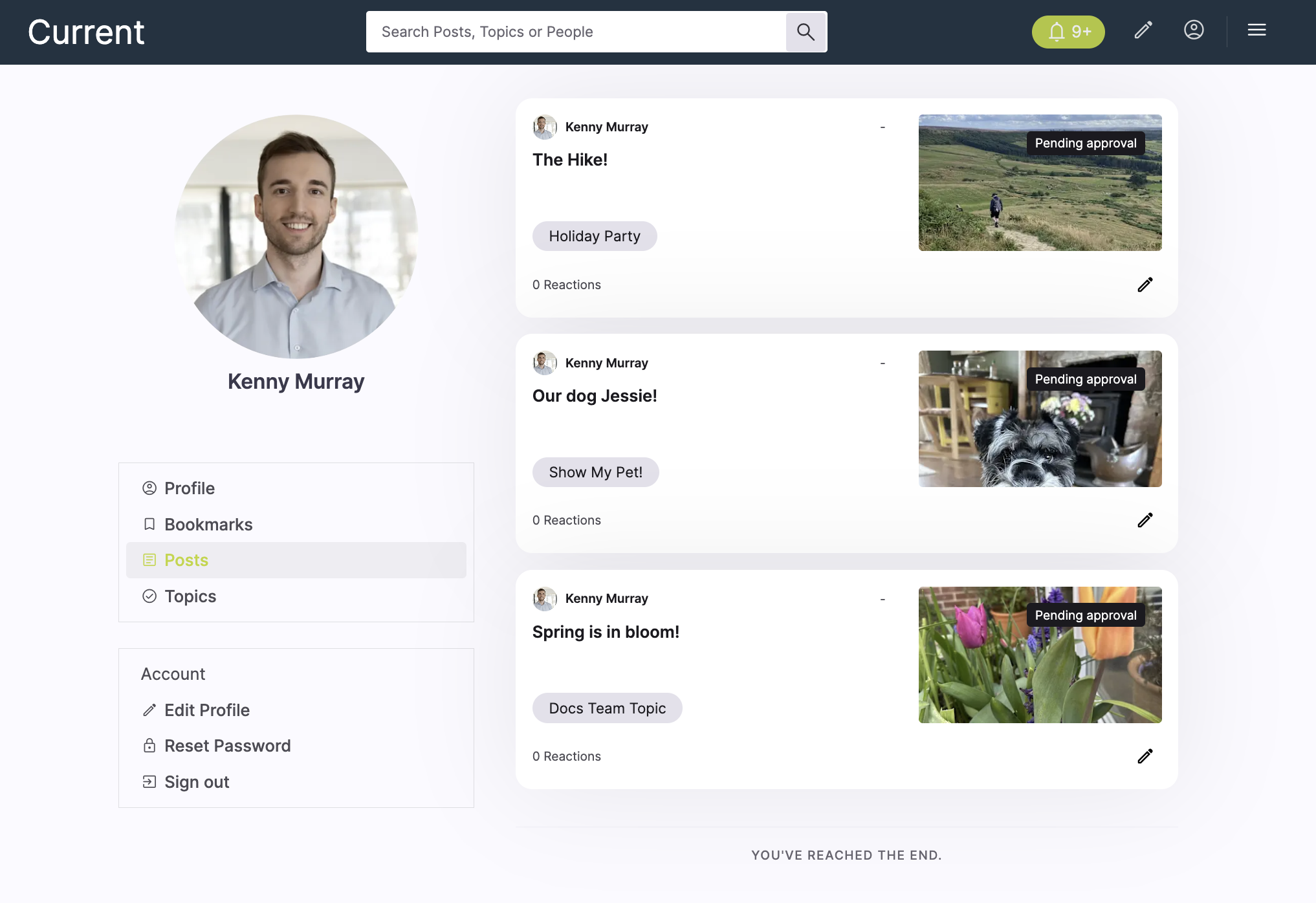
This example shows how to generate a user submitted content feed. This is where a user has submitted content themselves.
Example UI
Endpoint
Request parameters
| Query | Value |
|---|---|
| page.size integer | 10 |
| page.number integer | 1 |
filter.visibility=publiclimits results to public content.page.size=10andpage.number=1return the first 10 results.
{
  "page.size": 10,
  "page.number": 1
}
{
  "data": [
    {
      "id": 7001,
      "uuid": "a5a11111-1111-4111-8111-111111111111",
      "content_type": "image",
      "title": "The Hike!",
      "summary": "Submitted by the user from their profile.",
      "author": { … },
      "channels": [ … ],
      "visibility": "public",
      "featured": false,
      "comment_count": 0,
      "poster_image_url": "https://cdn.example.com/submitted/the-hike.jpg",
      "permalink_url": "https://onfirstup.com/acme/acmetimes/sc4#contents/7001",
      "shareable_url": "https://onfirstup.com/acme/acmetimes/sc4#contents/7001",
      "published_at": "2026-03-20T09:00:00Z"
    },
    {
      "id": 7002,
      "uuid": "b6b22222-2222-4222-8222-222222222222",
      "content_type": "image",
      "title": "Our dog Jessie!",
      "summary": "Submitted by the user from their profile.",
      "author": { … },
      "channels": [ … ],
      "visibility": "public",
      "featured": false,
      "comment_count": 0,
      "poster_image_url": "https://cdn.example.com/submitted/jessie.jpg",
      "permalink_url": "https://onfirstup.com/acme/acmetimes/sc4#contents/7002",
      "shareable_url": "https://onfirstup.com/acme/acmetimes/sc4#contents/7002",
      "published_at": "2026-03-21T09:00:00Z"
    },
    {
      "id": 7003,
      "uuid": "c7c33333-3333-4333-8333-333333333333",
      "content_type": "image",
      "title": "Spring is in bloom!",
      "summary": "Submitted by the user from their profile.",
      "author": { … },
      "channels": [ … ],
      "visibility": "public",
      "featured": false,
      "comment_count": 0,
      "poster_image_url": "https://cdn.example.com/submitted/spring-bloom.jpg",
      "permalink_url": "https://onfirstup.com/acme/acmetimes/sc4#contents/7003",
      "shareable_url": "https://onfirstup.com/acme/acmetimes/sc4#contents/7003",
      "published_at": "2026-03-22T09:00:00Z"
    }
  ],
  "meta": {
    "pagination": {
      "page": 1,
      "size": 10
    }
  }
}
Pass the post content ID into GET /v2/feed/posts/{content_id} to bring up the whole post.
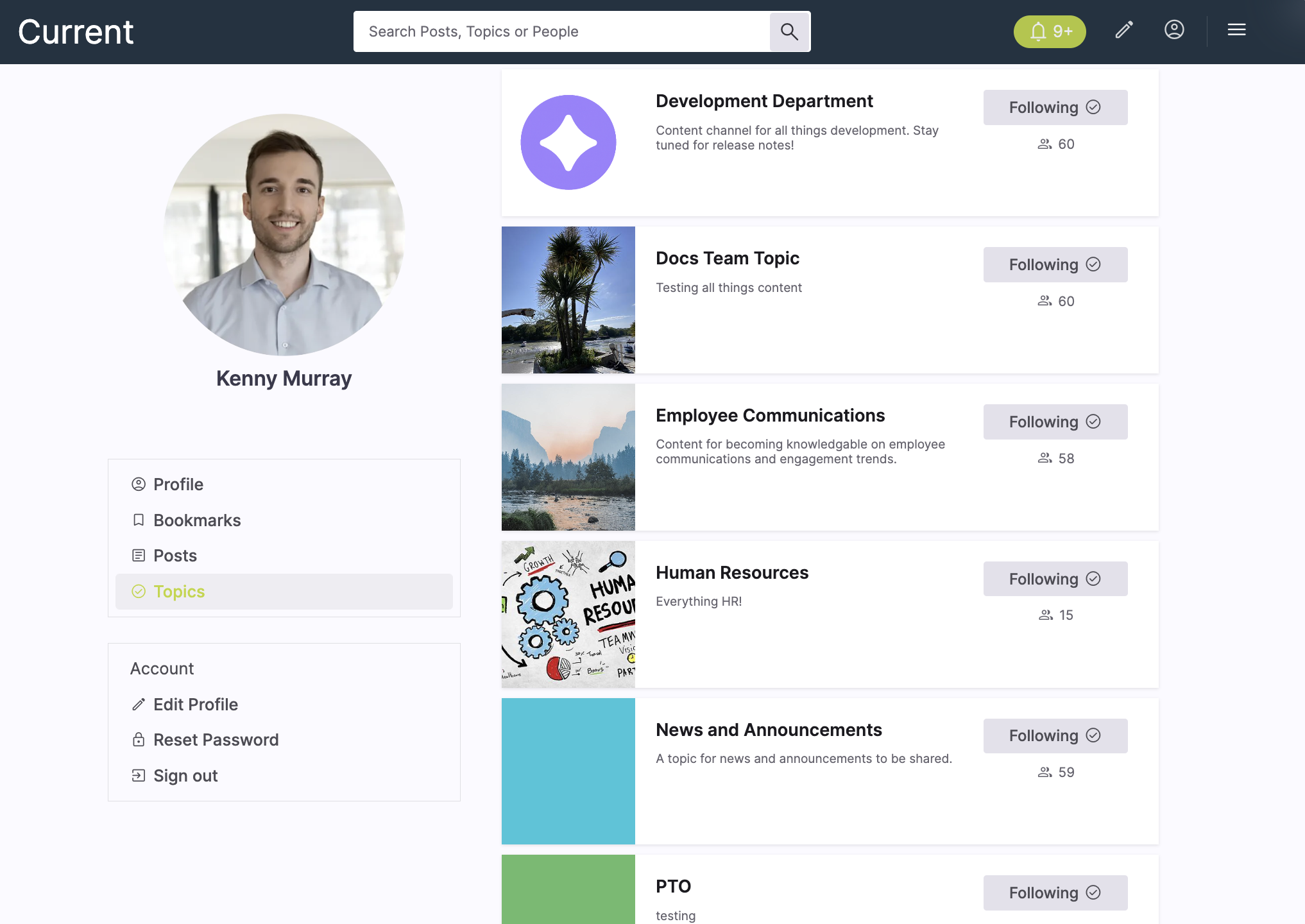
Example UI
Endpoint
Request parameters
There are no query parameters for this endpoint. It is scoped to the authenticated user and returns the channels followed by that user profile.
{
  "data": [
    {
      "id": 101,
      "name": "All things wellness!",
      "description": "Wellbeing tips, health campaigns, and employee support resources.",
      "state": "published",
      "auto_follow": false,
      "recommended": true
    },
    {
      "id": 102,
      "name": "Courtney's Corner",
      "description": "Updates, announcements, and shared content from Courtney’s community.",
      "state": "published",
      "auto_follow": false,
      "recommended": false
    },
    {
      "id": 103,
      "name": "R WORLD NEWS",
      "description": "Mobile app updates, organization news, and employee communications.",
      "state": "published",
      "auto_follow": false,
      "recommended": false
    }
  ]
}