Refer to Changelog for the latest version.
The Content API now allows content to be marked as Focused and to add an audience for focusing.
Endpoints
Setting the targeted boolean value to true sets the piece of content to true. This also allows the groups array to be used. This attribute lets you select one or multiple audiences to target the piece of content to.
This Feeds endpoint allows users to delete a comment they previously made.
DELETE /v2/feed/posts/{content_id}/comments/{comment_id}
We have added two new Feeds endpoints:
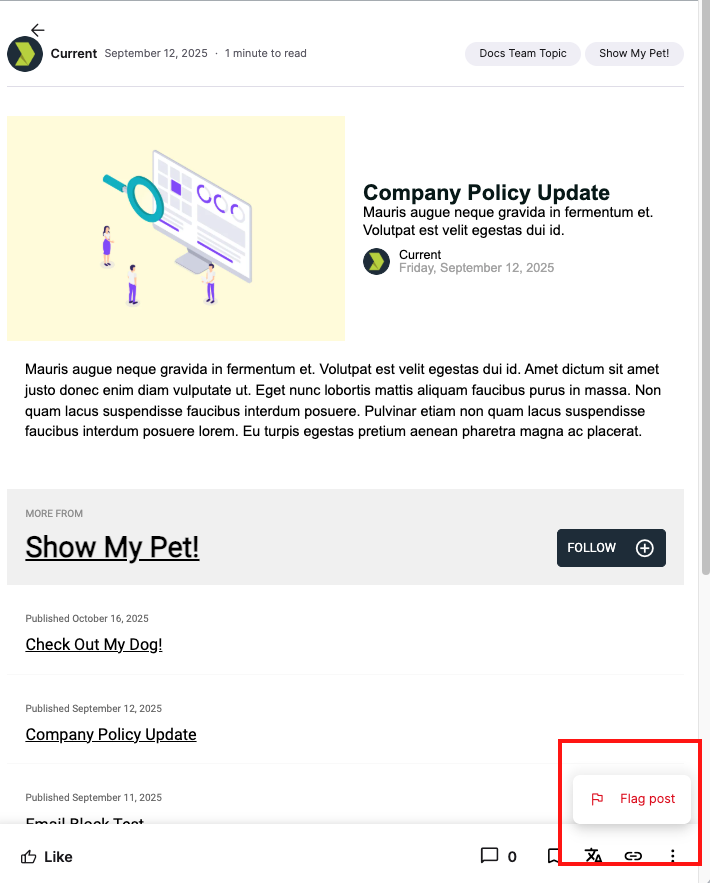
Report a post
PUT /v2/feed/posts/{content_id}/report
Creates a Report for a specific feed post for a scoped user. The post must be visible to the user or a 404 Not Found response will be returned; for example, this would happen if the content is published to a targeted topic that does not target the user.
This works in the same way as a member experience UI created in Creator Studio:
Report a comment
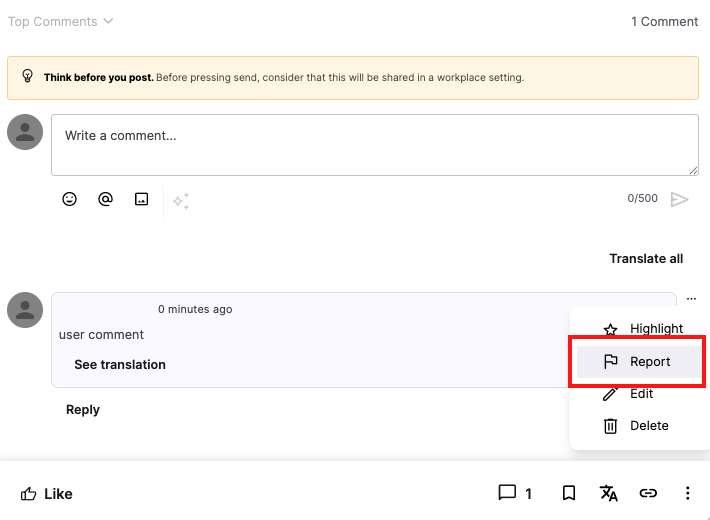
PUT /v2/feed/posts/{content_id}/comments/{comment_id}/report
Creates a Report for a specific comment (or reply) to a post for a scoped user. The comment must be visible to the user or a 404 Not Found response will be returned; for example, this would happen if the comment is published to a post in a targeted topic that does not target the user.
This feature introduces @mention functionality within comments and replies in the Partner API, enabling users to directly tag other members in discussions.
@Mentions have been added to the following endpoints:
Content Publishing
| Endpoint |
|---|
| GET /v2/content/{content_id}/comments List the comments on a content post |
| GET /v2/content/{content_id}/comments/{comment_id}/replies List the replies of a given comment on a content post |
Feeds
| Endpoint |
|---|
| GET /v2/feed/posts/{content_id}/comments List the comments on a content post |
| POST /v2/feed/posts/{content_id}/comments Comment on a post in the feed |
| GET /v2/feed/posts/{content_id}/comments/{comment_id}/replies List the replies of a given comment on a content post |
| POST /v2/feed/posts/{content_id}/comments/{comment_id}/{post_number}/replies Reply to a comment on a post in the feed |
| PUT /v2/feed/posts/{content_id}/comments/{comment_id} Update a comment on a post in the feed |
| GET /v2/feed/users/ Query for users that are able to be mentioned (new endpoint) |
To correctly mention a user, the <user_id> (which is the advocate id) can be used in the following:
{ref:user:<user_id>} or {ref:user::id:<user_id>}
You can parse out the user_id and then look up the user and transform the mention metadata to the actual user’s display_name/name.
For example, Welcome back @{ref:user:123}! We're happy to have you back on the team.
This endpoint endpoint provides users with direct access to critical company resources from their homepage, similarly to the Shortcuts tray in Firstup's Employee Experience.